Making Requests
Authorization Header
An API client can identify itself by using the Authorization HTTP request header,
which contains an authentication token. Some, but not all, API requests will require
this HTTP request header. In this API reference, if Authorization header is needed
for an endpoint, there will be further details about which particular types of
client token are expected.
The Authorization HTTP request header should be in the following format:
Authorization: ModeCloud <AUTH_CODE>where <AUTH_CODE> is an authentication token.
How the authentication token can be obtained depends on the nature of the API client, as explained below:
Users
The AUTH_CODE is obtained through requests to the Client Authentication endpoints.
Depending on project settings, user authentication may involve round-trip
verification by an SMS message, direct password input, or special server-to-server
API calls.
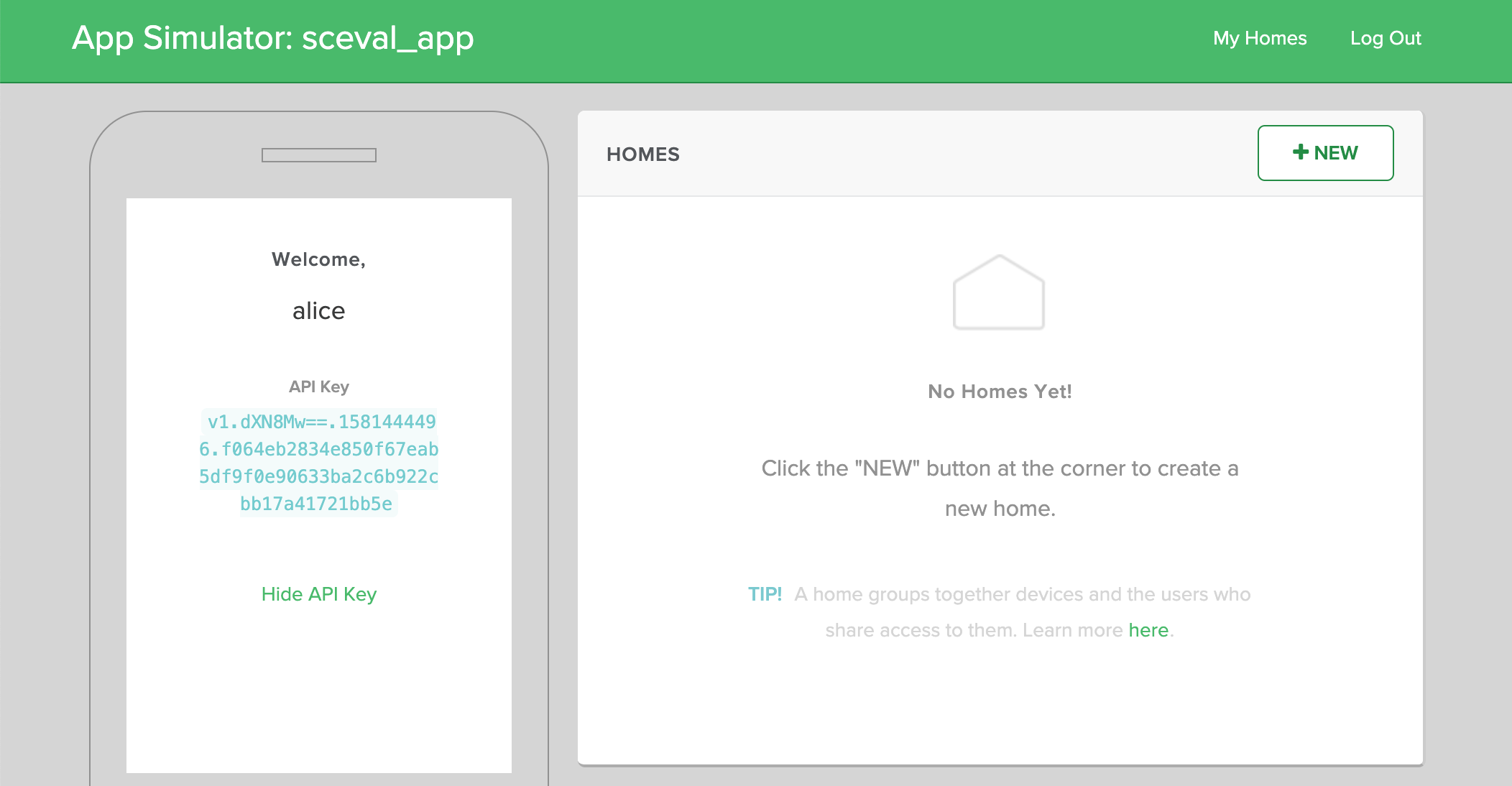
Once the user is authenticated, a user session is created and an API key associated
with the user session is returned. You may use this API key as the AUTH_CODE in
subsequent API requests. For reference, if you sign on as a user to the “App Simulator”,
the user session API is revealed when you click Show API Key.
Devices
The AUTH_CODE is the API Key assigned to a device instance when it was
provisioned. If the device was pre-provisioned, you can retrieve this key from the
Developer Console under Devices > Select a Device Class > Select a Device Instance > Device Details > API Key.
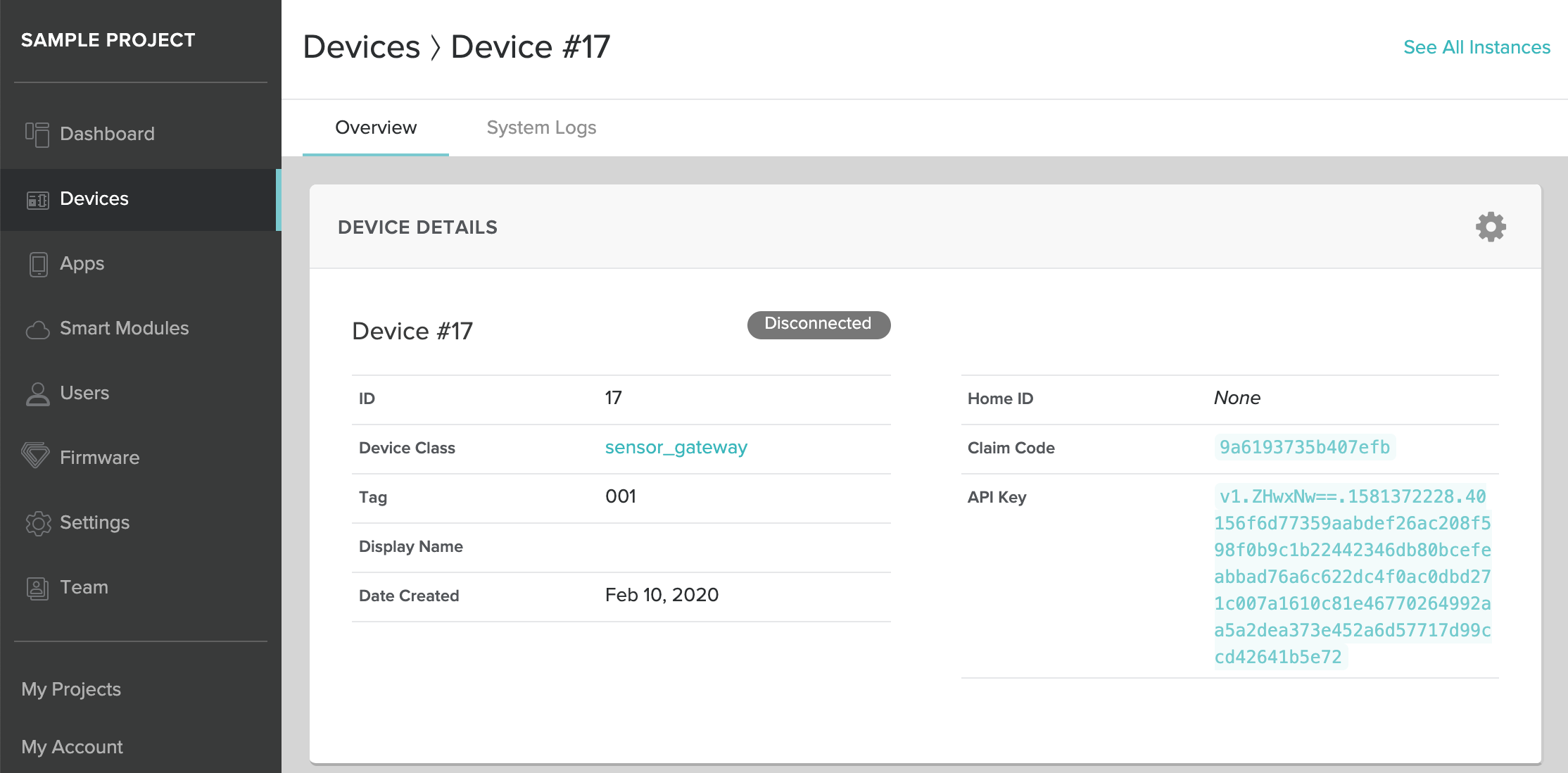
If you are using On-demand Device Provisioning, this key is returned in the API call that adds a device to a home.
Other Clients
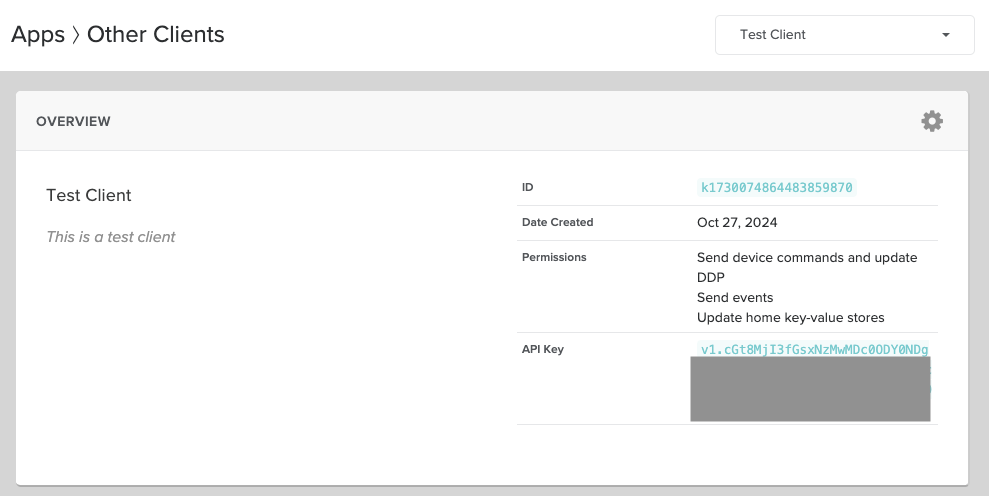
You may also need an external program or service to make requests directly to the MODE API. For example, you may have a scheduler service that sends commands to your devices periodically.
For these API clients, you should register them under the Other Clients tab of the Apps screen on the Developer Console. An API key will be generated for your client after the registration. You can also control what additional permissions the client can have besides basic API access.
Content Type and Content Length Headers
If an API request contains a request body, it must also contain Content-Type
and Content-Length headers. Depending on the API resource/endpoint, the request
body is expected to be either in JSON (application/json) or as a web form
(application/x-www-form-urlencoded).